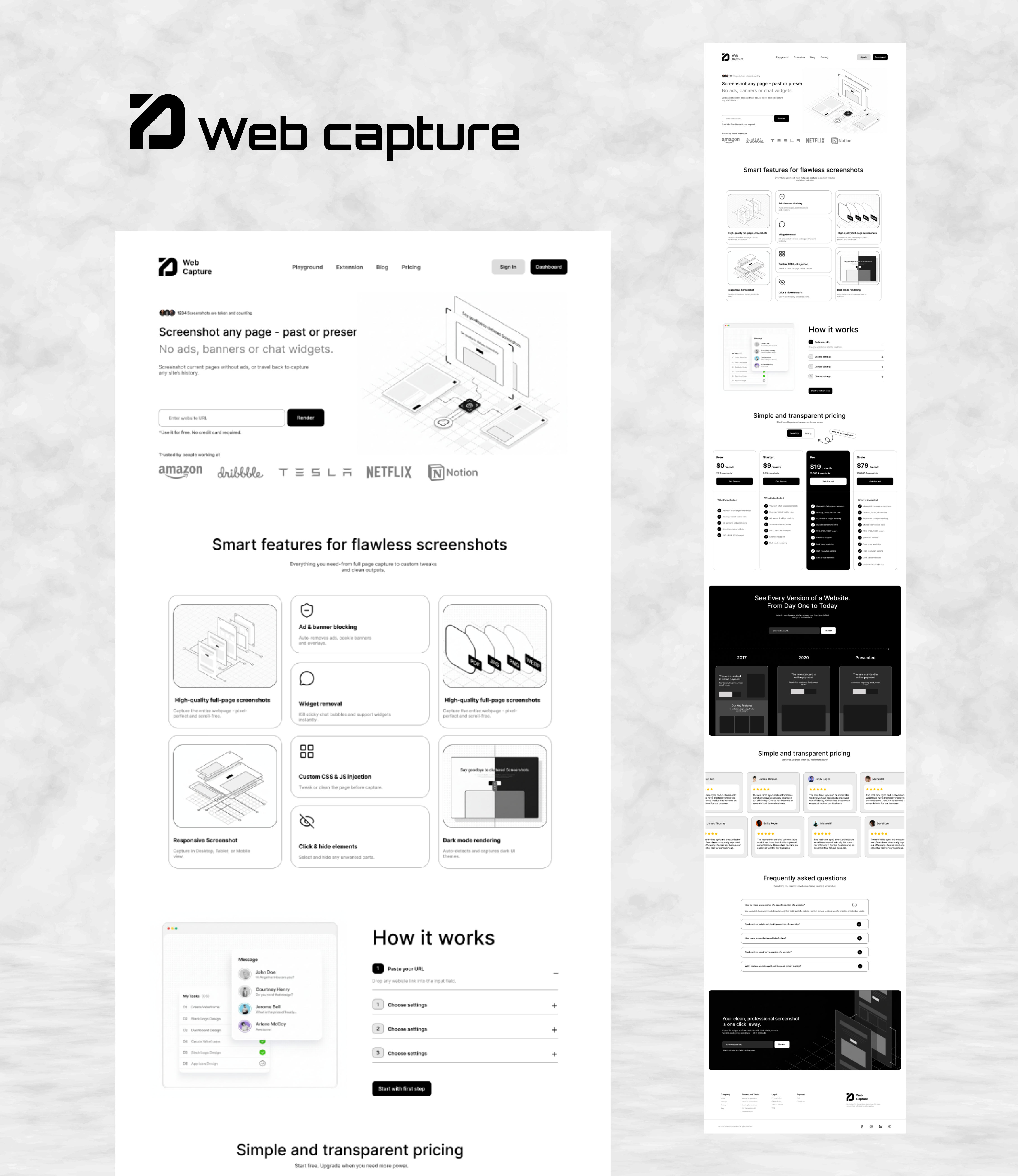
Web Capture – Modern Web Screenshot Tool Landing Page
The Web Capture landing page is a sleek, user-focused UI/UX design crafted in Figma to promote a powerful web screenshot tool. The primary goal is to highlight the tool's ability to capture clean, full-page screenshots of any website—past or present—without ads, banners, or chat widgets, making it ideal for designers, developers, and content creators needing flawless visuals.
🎨 Design Approach
- Tool: Figma (high-fidelity prototype with interactive elements)
- Style: Minimalist and modern with isometric illustrations for visual appeal
- Color Palette: Predominantly white space with dark accents for text and buttons, ensuring high readability
- Typography: Bold sans-serif fonts for headings, clean body text for descriptions
- Layout: Single-page scroll design with clear sections and ample whitespace for a premium feel
🚀 Key Features Highlighted
- High-quality full-page screenshots with ad/banner blocking and widget removal
- Custom CSS/JS injection for tailored captures
- Responsive screenshots across devices
- Dark mode rendering and click-to-hide elements
- Simple workflow: Paste URL, choose settings, and capture
🔑 Notable UI/UX Decisions
- Engaging hero section with URL input and prominent CTA for immediate user interaction
- Isometric 3D illustrations to demonstrate features dynamically and add depth
- Card-based feature grid for easy scanning of smart tools (e.g., ad removal, responsive views)
- Transparent pricing tables and FAQ accordions for trust and clarity
- Testimonials and "How it works" step-by-step guide to reduce onboarding friction
- Subtle animations implied in prototype for enhanced interactivity
🔗 Figma Design:
Explore the prototype here: web capture
This Figma design serves as an excellent reference for SaaS landing pages in the productivity tools space, emphasizing simplicity, visual storytelling, and conversion-focused elements.